Your computers and servers still have a lot to give. Hiersoft gives them a second life with innovative software: less waste, lower costs, and machines that become useful again.
A ten-year-old computer is almost never too old: its software is. With the right system and the right tools, it becomes fast, secure and useful again.
End of support for an operating system, ever heavier software, refused upgrades: hardware in perfect condition is thrown away while its components still work.
Instead of replacing, we fit the software to the hardware: lightweight, maintained systems, new functions (storage, backup, server, media) and tools built to get the best out of every machine.
Most of a computer's environmental footprint comes from its manufacturing. Extending its life is the most effective — and the cheapest — choice, for your budget as well as for the planet.
From diagnosis to recommissioning, a single point of contact to reuse, modernize and extend the life of your IT equipment.
Inventory and audit of your machines: what can be reused, what deserves a small upgrade (SSD, memory), and what each device can be used for tomorrow.
An old PC becomes a NAS, a backup server, a home automation or media server, a lightweight Linux workstation, a dedicated kiosk or a personal AI agent — installed, configured and ready to use.
Custom tools designed for existing hardware: web applications, automation, integrations, and artificial intelligence running locally, without the cloud.
Updates, disk and backup monitoring, remote or on-site assistance: so that repurposed hardware lasts as long as possible.
Someone who answers when something goes wrong: user assistance, remote or on-site troubleshooting, and follow-up of every request until it is resolved.
Up-to-date inventory of workstations, servers and licenses, deployment and updates, monitored backups and security: your IT equipment stays known, under control and durable.
Gradual move to free software (Linux, LibreOffice, Nextcloud…): review of the existing setup, data migration, user training, with no business interruption and no vendor lock-in.
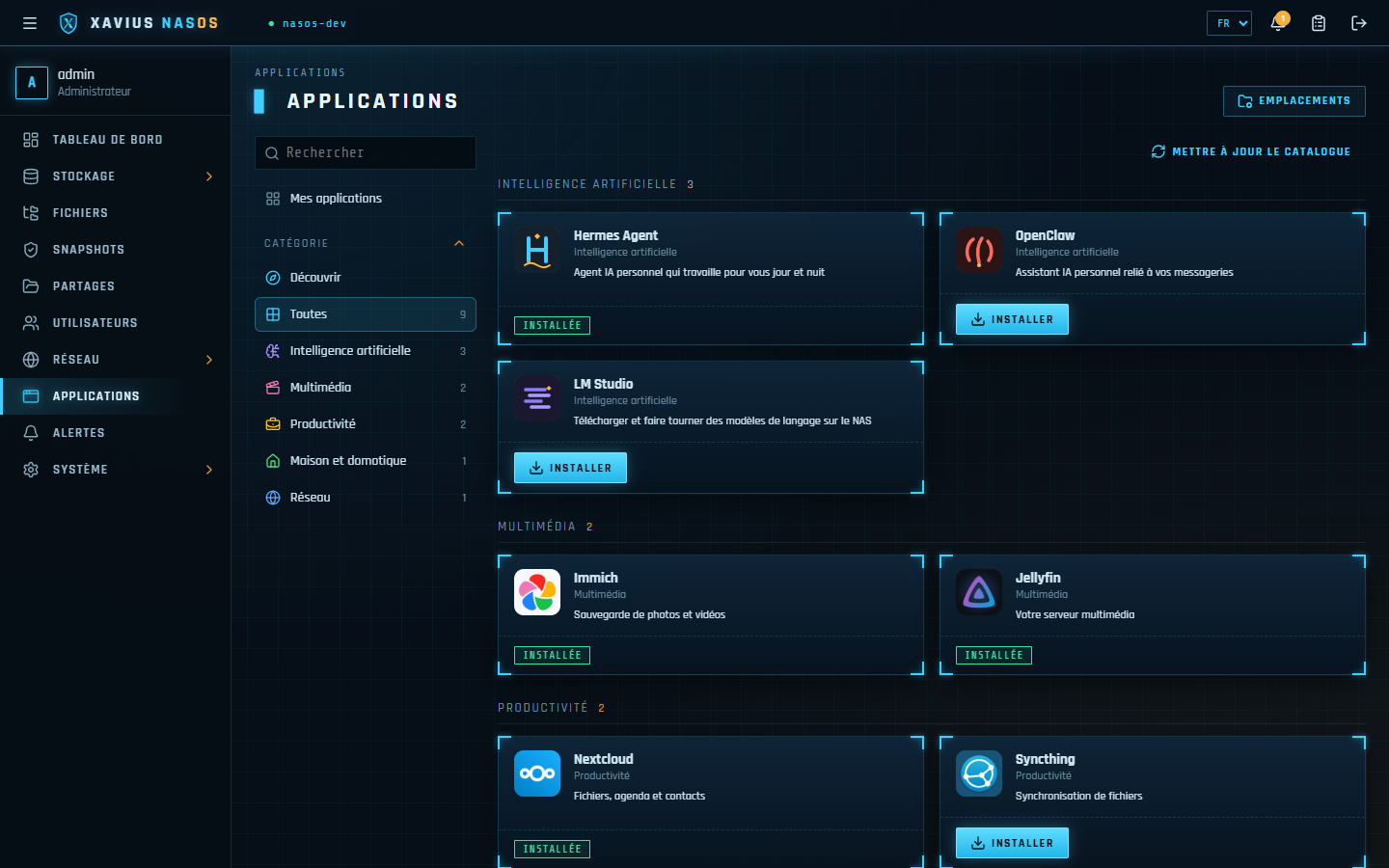
An old PC becomes a personal AI assistant working for you around the clock: Hermes Agent or OpenClaw, installed on Xavius NasOS and connected to your messaging and your tools. The machine, the files and the history stay with you; the model can run locally or through the provider of your choice.
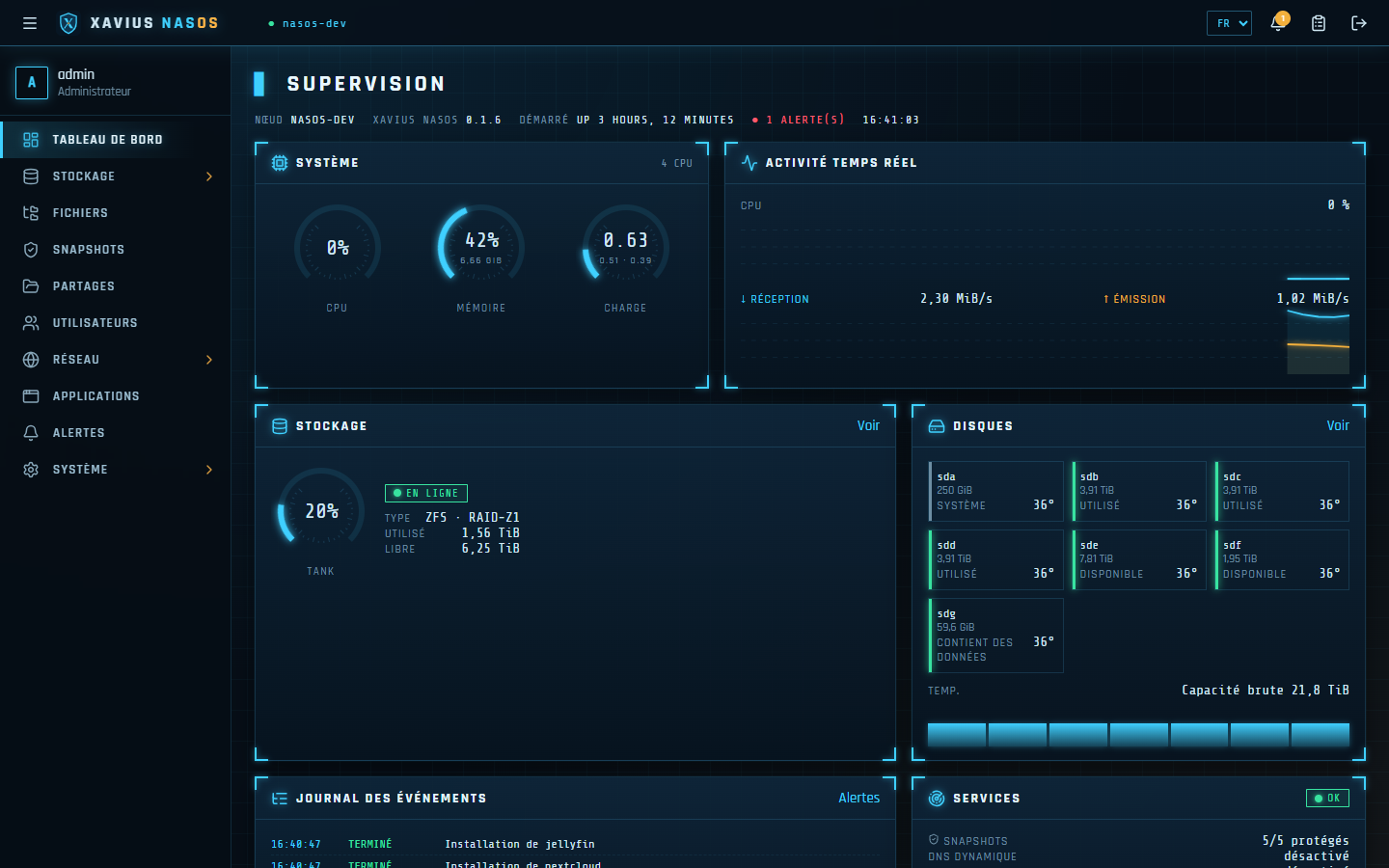
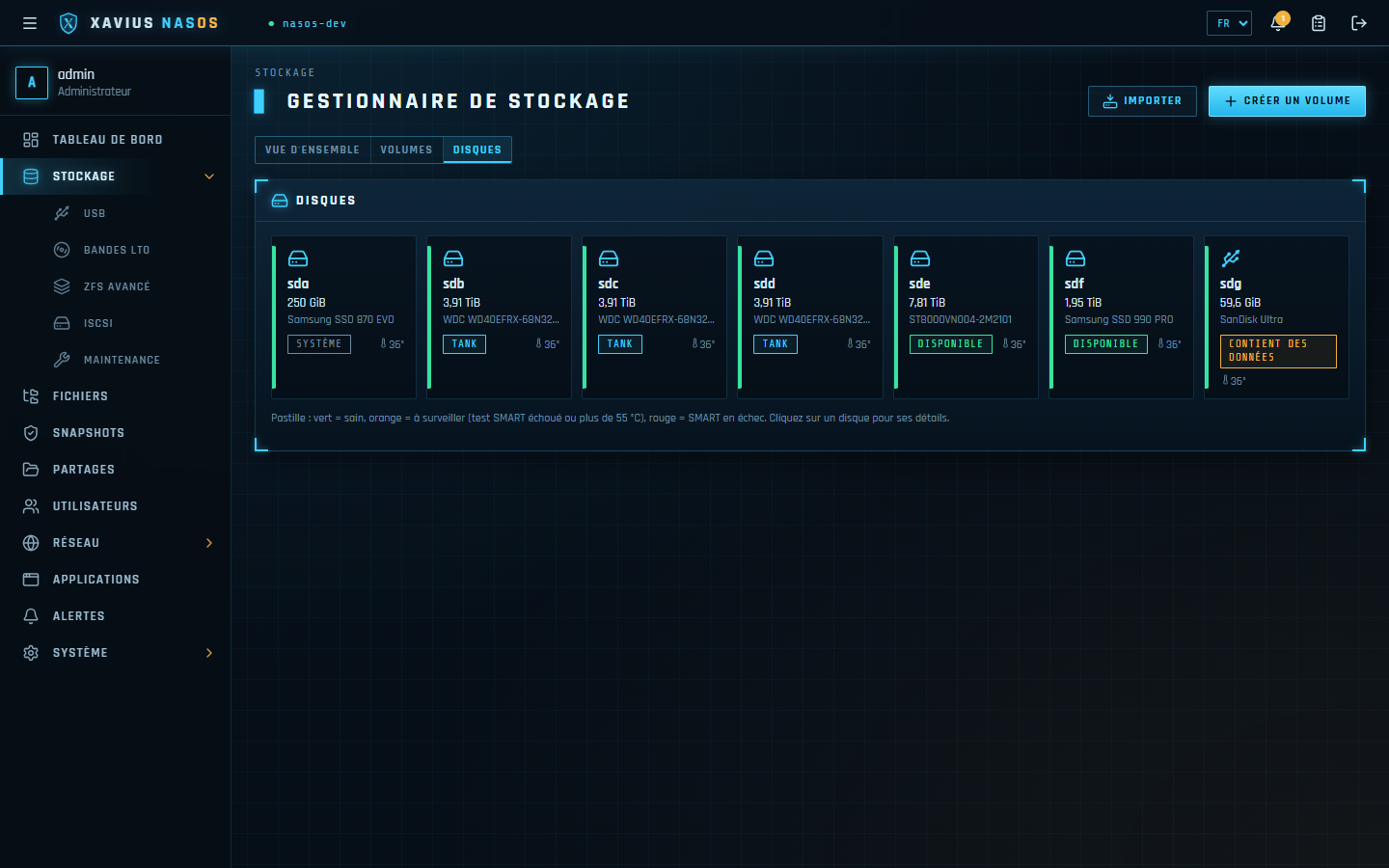
Our approach in action: Xavius NasOS turns an existing PC or server into a complete NAS, easy to use and dependable every day. Your data stays with you, with no subscription and no forced cloud.
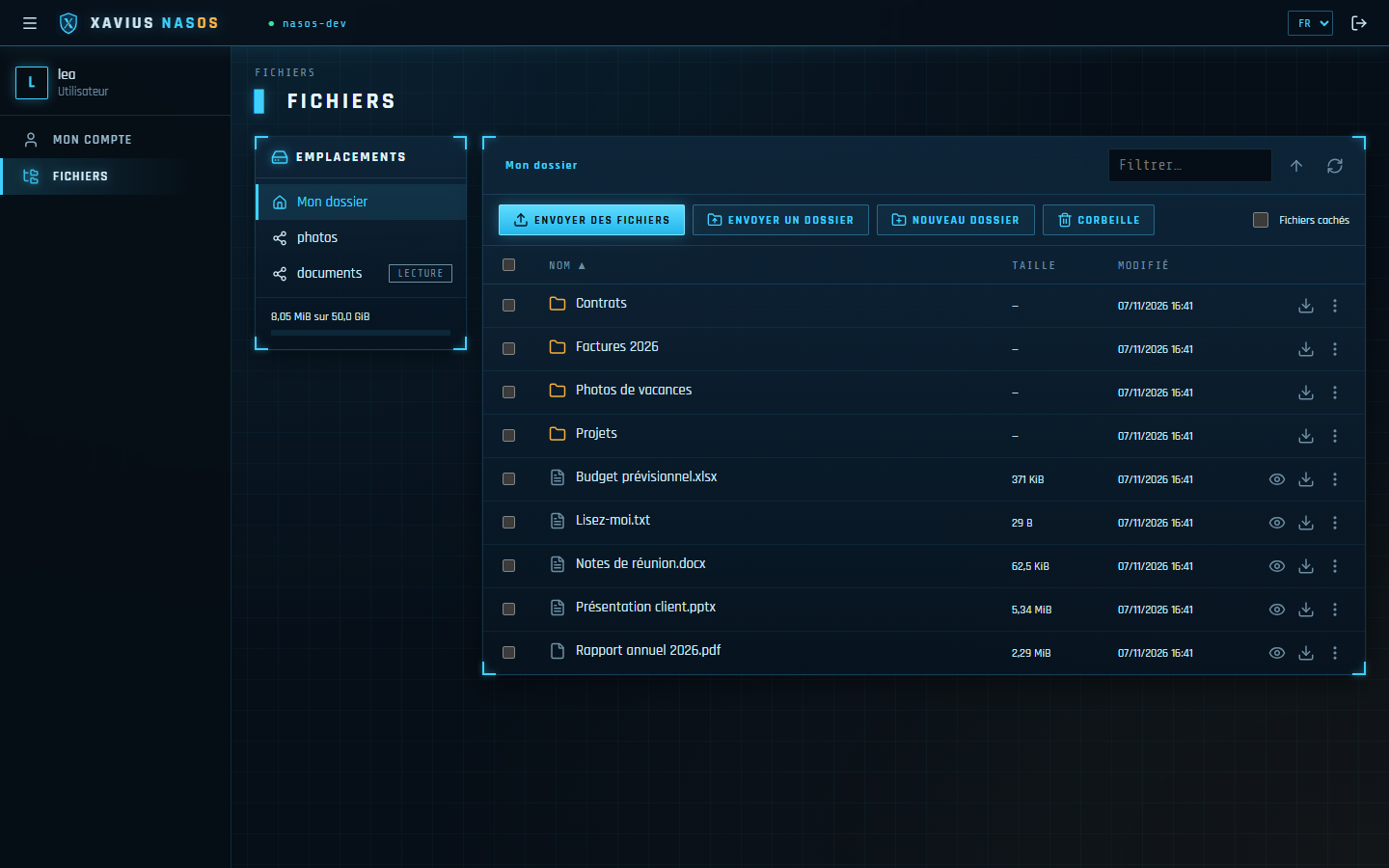
Give your team, clients or family an online file space, like a cloud storage service but hosted at your place: they sign in from the browser and find their personal folder and only the shared folders you open to them. Each account has its own quota and no access to the apps or to the NAS administration.
RAID, compression, encryption, datasets, import of existing volumes.
Daily snapshots, Windows "Previous versions", recycle bin for shares.
Windows, macOS (Time Machine), Linux and secure share links.
Jellyfin, Nextcloud, Immich, Home Assistant… installed and configured in one click.
QR code for your phone, dynamic DNS, automatic HTTPS certificate.
Video and music playback in the browser, photos sorted by date, duplicate finder.
An always-on base for Hermes Agent or OpenClaw: containers, backed-up storage, access through the VPN.
Language models downloaded and run on the machine itself, with no cloud, ready for your agents.
Backups to tape, another NAS or a USB drive, disk maintenance and scripts, in a calendar view.
| Minimum | Recommended | |
|---|---|---|
| Processor | x86-64, 2 cores | 4 cores or more |
| Memory (Btrfs) | 4 GB | 8 GB |
| Memory (ZFS) | 4 GB | 8 GB, 16 GB with many apps |
| System disk | 32 GB (SSD recommended) | 64 GB; 128 GB to install apps on it |
| Boot | BIOS or UEFI, Secure Boot disabled | |
Reuse before replacing: every machine put back into service is one less device to manufacture.
Open software and solutions hosted at your place: your data and your hardware belong to you.
Debian, ZFS, Btrfs, WireGuard: modern, proven foundations that run very well on older hardware.
A computer a business no longer needs can still equip a charity, a school or a family. Giving hardware a second life also means putting it in good hands.
Recovered hardware that does not find a second life with our clients is refurbished, fitted with an up-to-date free operating system, then donated to charities, schools and social economy organisations.
Before any reuse or donation, drives are securely wiped: nothing that belonged to the previous owner leaves our hands.
A machine that can no longer be used as is gives its parts to another one; only what is truly beyond use goes to electronic waste recycling.
Free software, with no subscription or forced obsolescence, and a website with no trackers or advertising cookies: we apply to ourselves what we recommend.
Are you a business renewing its computers? A charity short of equipment? Write to us: we connect the two.
An old PC sleeping in a cupboard, equipment to renew, a Xavius NasOS demo or a tool to build? Write to us.
hiersoft@salade.io → Hiersoft